
See the project move before the milestone does.
Gravity turns project signals into a clear view of exposure, dependency, recovery choices, and the decision window still available. The interface visual is an illustrative product-demo concept; the interactive demo uses fictionalized project information.
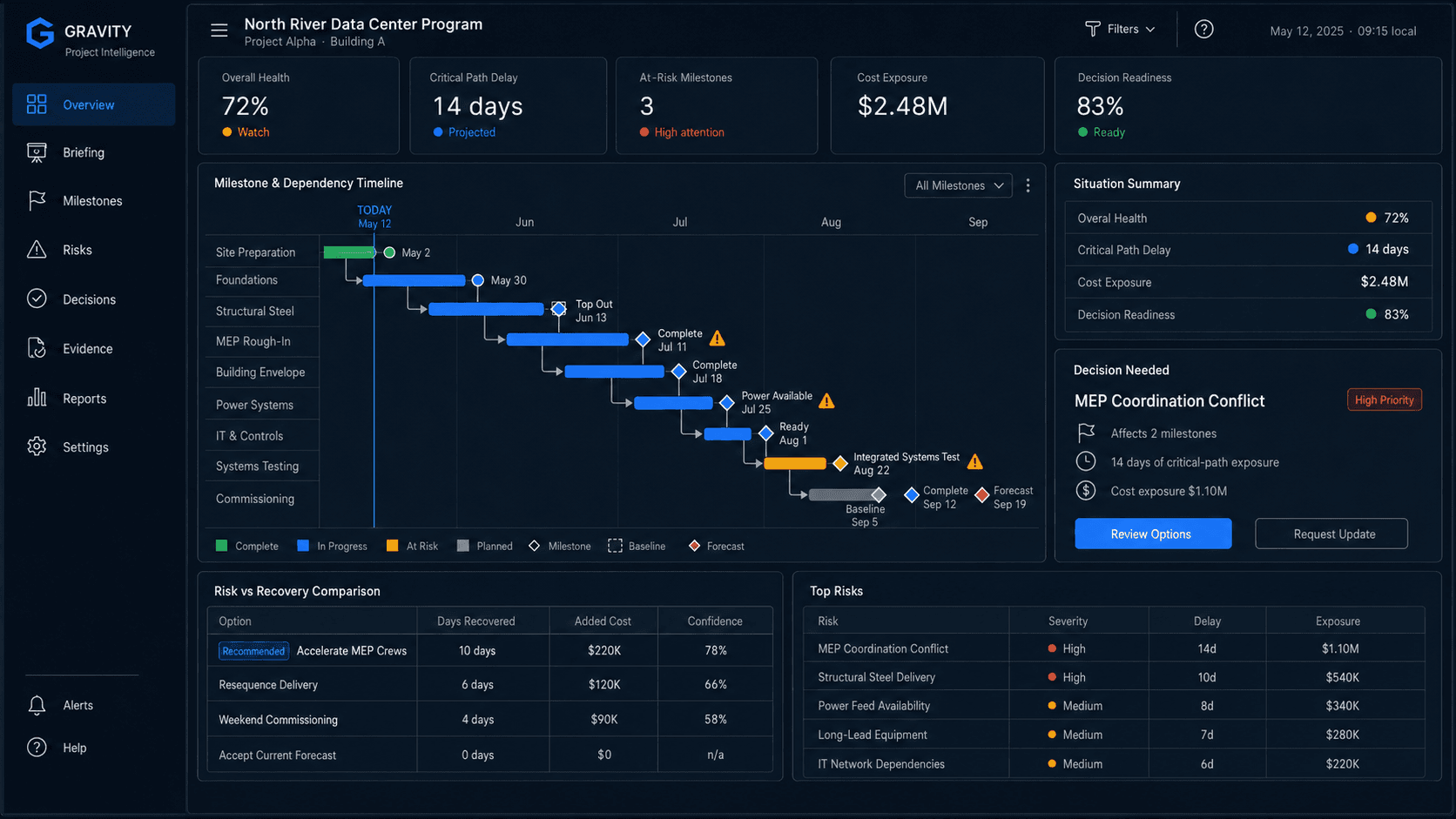
Read the project around the decision that needs attention.
Bring milestone condition, active exposure, critical dependencies, and response posture into one disciplined briefing without turning every project signal into an executive alert.
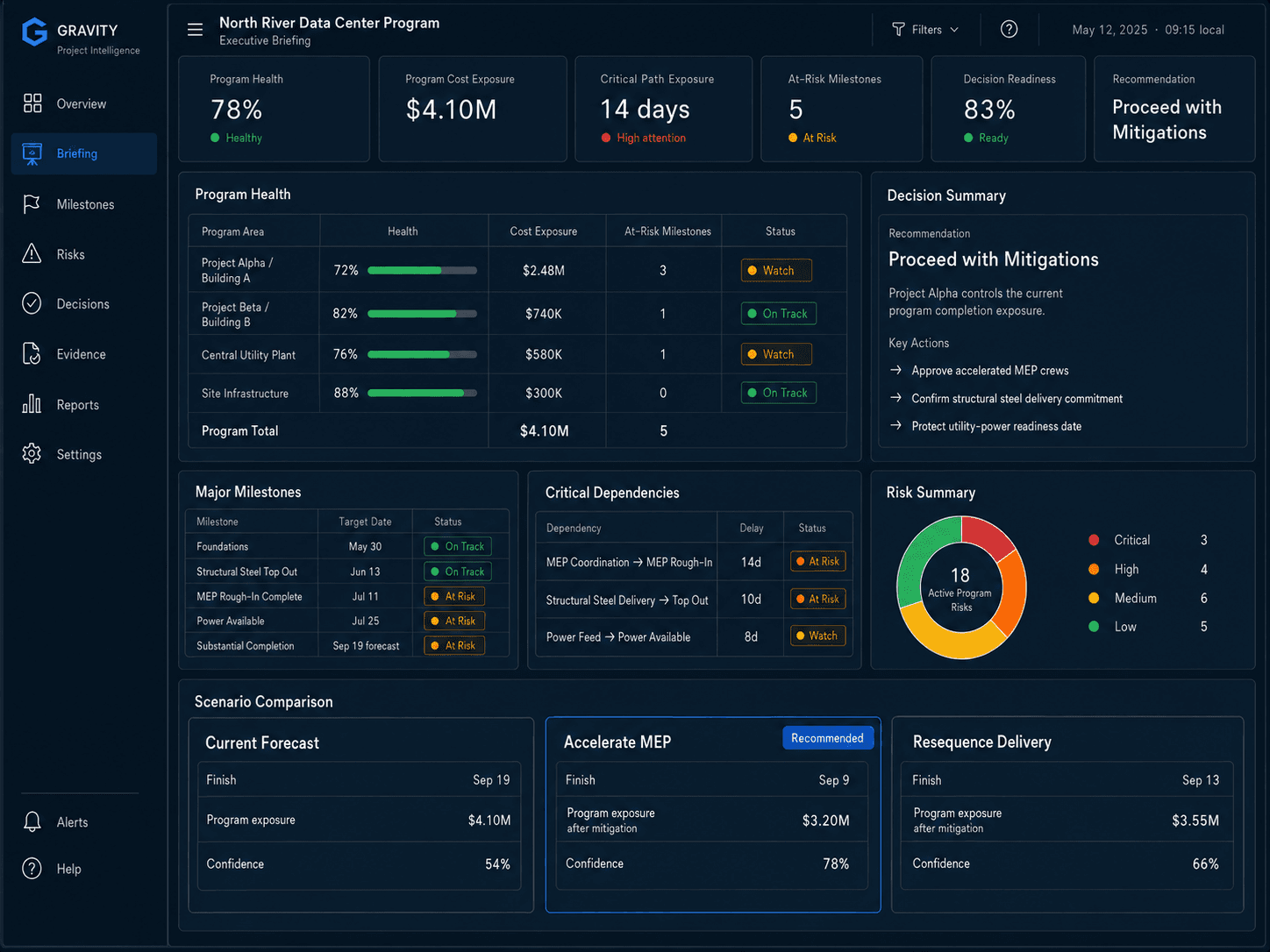
Keep project condition and response posture in the same frame.
Gravity organizes the operating picture around what changed, what it can affect, and what the team can still do about it.
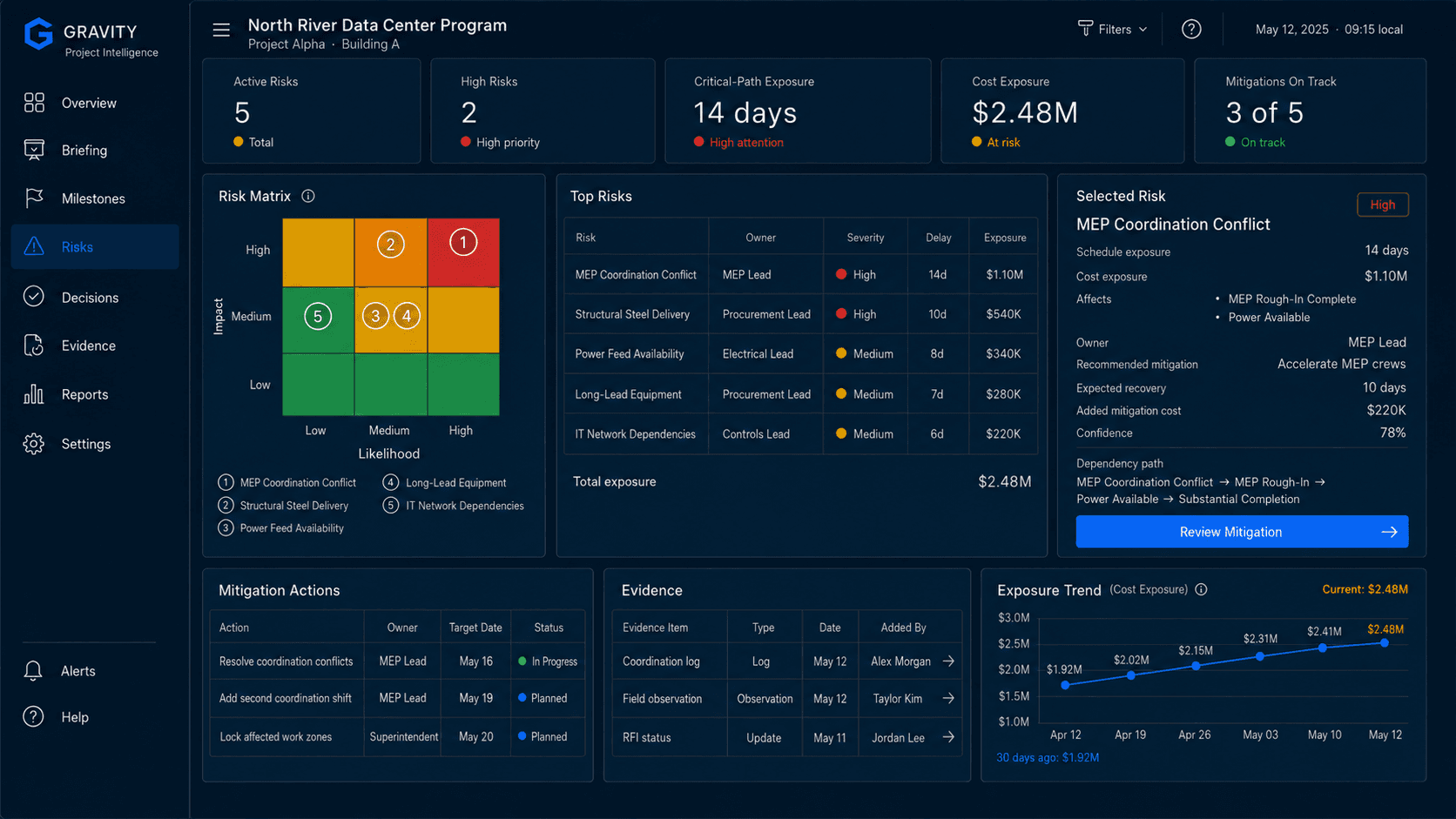
See exposure without losing the evidence behind it.
Move from a material signal to the affected dependency path, milestone exposure, responsibility, evidence, and response choices in one coherent risk view.
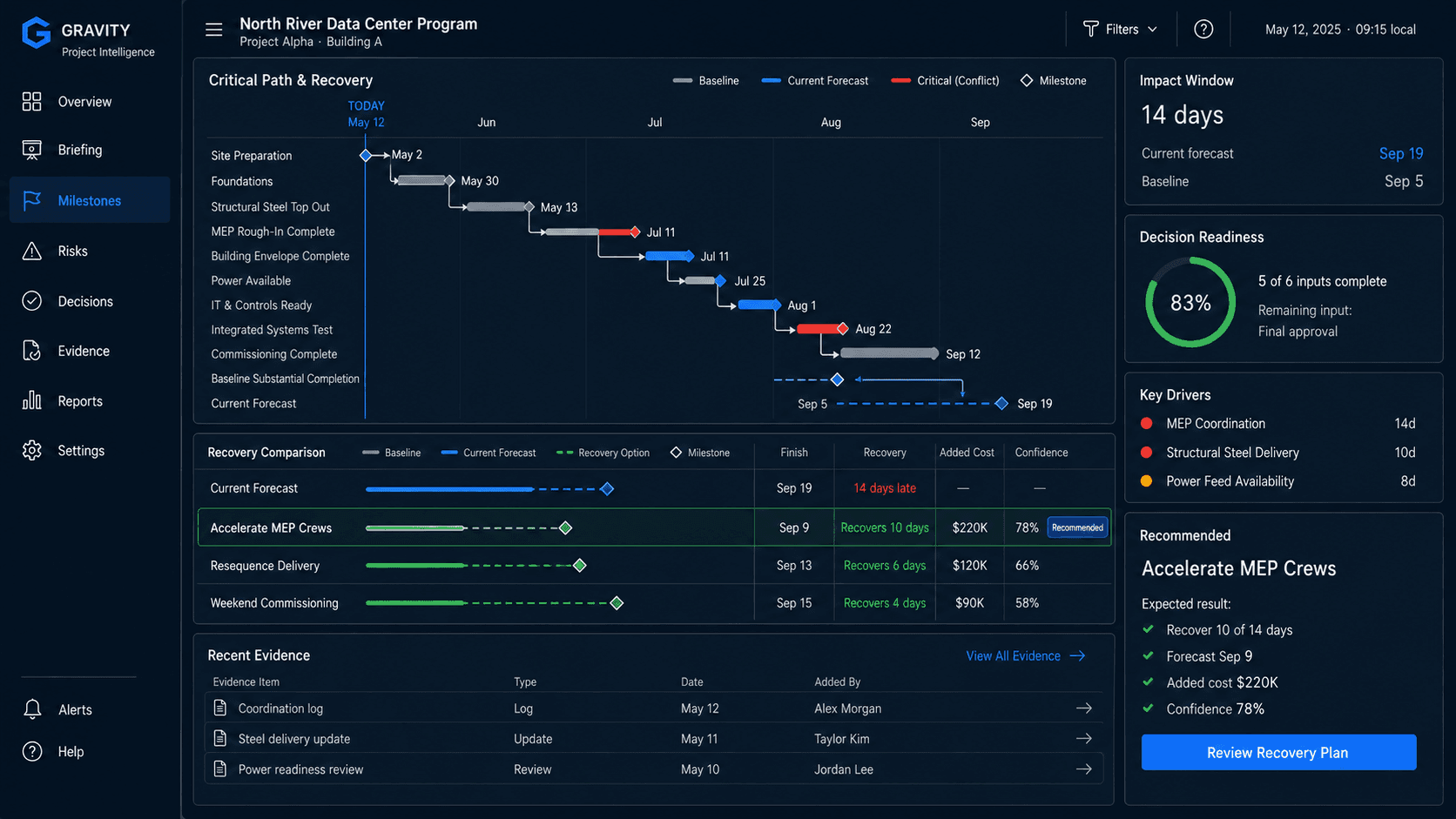
Compare recovery paths while the response window is still open.
Evaluate alternative responses against time, cost, disruption, confidence, and remaining decision window so the comparison is explicit before action is approved.
Run the illustrative scenarioKeep signal, consequence, recovery, evidence, and human decision connected.
The operating model keeps each step reviewable. Deterministic project logic stays attributable, optional AI assistance remains separate, and human authority stays explicit.
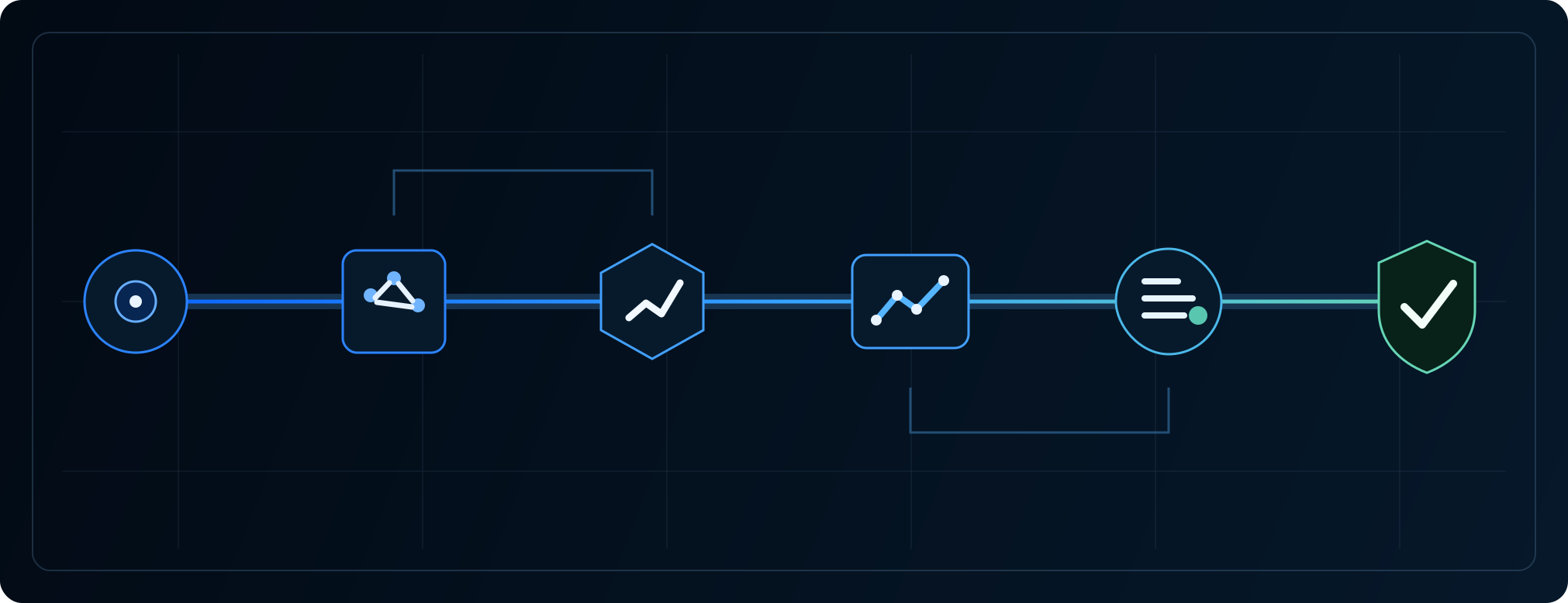
Project systems stay in place. Gravity adds the decision layer around them.
Relevant schedule, field, issue, cost, document, and operating information can support the view. Deterministic project calculations remain attributable, optional AI assistance stays separate, and project leadership remains the final decision-maker.
Move through the project signal, exposure, recovery, and decision yourself.
The interactive experience uses an illustrative mission-critical scenario with fictionalized project information.